
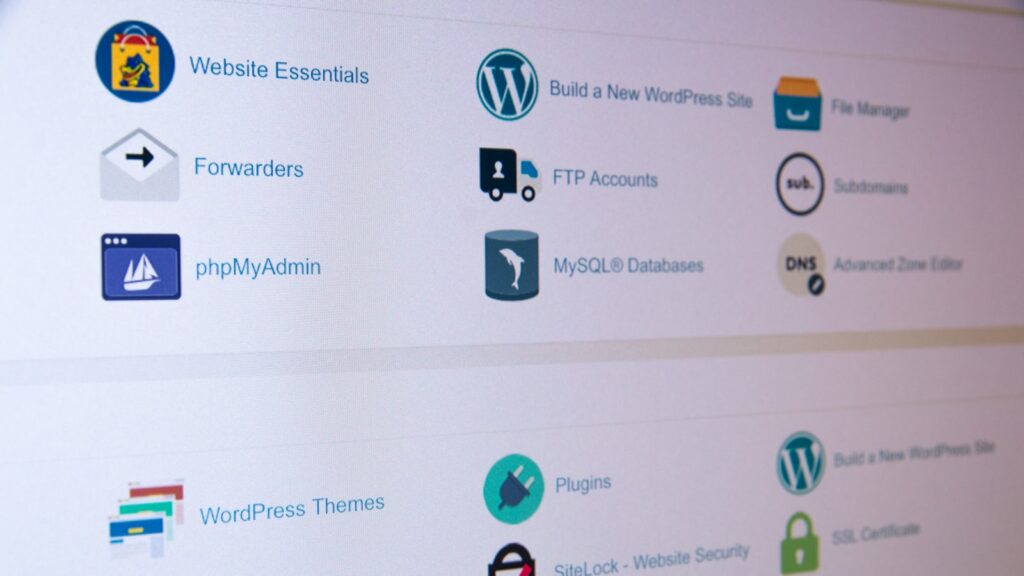
What Distinguishes Agency WordPress Hosting from Standard Managed Hosting
Single-site hosting evaluations typically revolve around raw speed benchmarks and server location options. For an agency managing dozens or hundreds of client installs, those metrics represent only a baseline requirement. Agency hosting must account for the operational overhead surrounding every site: developer staging pipelines, role-based user permissions, recurring update schedules, client handoff mechanisms, and scalable billing structures.
As an agency portfolio expands, the operational definition of “managed” hosting diverges significantly across providers. Key operational factors include:
- Site Isolation: Preventing resource spikes, malware infections, or plugin errors on one client site from degrading adjacent sites within the same master account.
- Portfolio Management: Executing core updates, database backups, plugin installations, and performance checks globally across all sites rather than logging into individual WordPress admin dashboards.
- Development Workflows: Supporting staging environments, site cloning, Git integration, SSH, WP-CLI, and seamless synchronization between local development tools and remote servers.
- Access and Governance: Applying granular permissions so internal developers, external contractors, account managers, and clients access strictly necessary interfaces.
- Handoffs and Reselling: Transferring site ownership, executing direct client billing, or white-labeling hosting environments under the agency’s brand.
Provider Comparison: Top WordPress Hosting Options for Agencies
Choosing an agency host depends on whether your organization prioritizes reproducible design workflows, per-site container isolation, flexible server infrastructure, or partner revenue programs. Five major platforms handle these requirements with distinct architectural approaches.
WP Engine
WP Engine focuses heavily on agency operational scale, bundling bulk administration tools with development frameworks like Local and Advanced Custom Fields (ACF) PRO. Its tiered agency offerings include:
- Agency Essentials: Starts at $56/month for 5 sites, scaling up to 25 sites.
- Agency Plus: Starts at $83/month for 5 sites, scaling up to 100 sites. Includes 24/7 phone support, uptime monitoring, and ACF PRO.
- Agency Pro: Custom-priced for portfolios of 50+ sites, adding managed site migrations and tailored onboarding.
Flywheel
Flywheel provides a workflow-centric hosting platform tailored for design-focused agencies and freelancers. Key plans include:
- Freelance Plan: $96/month (billed annually) for up to 10 sites.
- Agency Plan: $242/month (billed annually) for up to 30 sites.
Both tiers include Flywheel’s unified dashboard, staging tools, SSH access, free migrations, and integration with the Local desktop application. Flywheel features Blueprints, which allow teams to save a configured installation—including themes, plugins, and settings—as a master template for spinning up future projects without repetitive manual setup.
Kinsta
Kinsta emphasizes strict resource isolation and enterprise-grade infrastructure. Every WordPress site on Kinsta runs inside its own isolated software container, ensuring zero resource contention between client sites in the same account. Annual agency pricing includes:
- Agency 20: $284/month (up to 20 sites).
- Agency 40: $375/month (up to 40 sites).
- Agency 60: $563/month (up to 60 sites).
All plans offer 30-day backup retention, unlimited site migrations, staging, unlimited MyKinsta dashboard users with role-based access, access to 29 data centers, up to a 99.99% uptime SLA, white-labeling inside WP Admin, and a Cloudflare-powered CDN spanning 300+ locations with integrated WAF and DDoS mitigation.
Cloudways
Cloudways delivers a flexible, pay-as-you-go managed platform layered over unmanaged cloud infrastructure providers including DigitalOcean, Vultr, Linode, AWS, and Google Cloud. Agencies can select from over 150 global data centers and deploy unlimited sites per server, subject only to hardware resource limits. DigitalOcean Flexible configurations start at approximately $11/month.
For automated portfolio management, Cloudways offers Site Manager Pro. At $3/site per month (for up to 5 sites) or $2/site per month (for 6+ sites), it provides SafeUpdates—a tool that generates temporary staging clones, executes core, theme, and plugin updates, performs Visual Regression Testing (VRT), and deploys to production only after verification tests pass.
SiteGround
SiteGround provides entry-level agency options suited for early-stage portfolios or budget-conscious setups. Relevant plans include:
- GrowBig: Renews at $29.99/month (12-month prepaid term), providing 50 GB storage, staging, on-demand backups, SSH, WP-CLI, and custom PHP version control across multiple sites within total resource allocations.
- GoGeek: Renews at $44.99/month, adding 100 GB storage, Git integration, priority support, and white-label Site Tools access for clients.
Because promotional introductory pricing is significantly lower than standard renewal rates, agency long-term margin calculations should be based strictly on regular renewal prices.
Comparing Agency Hosting Features and Tiers
| Provider | Best For | Starting Agency Plan | Sites Included | Key Agency Capabilities |
|---|---|---|---|---|
| WP Engine | Scaling & Recurring Revenue | Agency Essentials ($56/mo) | 5 (Scalable to 25) | Bulk site management, Sandbox Sites, client transfers, Partner Program. |
| Flywheel | Design Workflows | Freelance ($96/mo billed annually) | Up to 10 | Blueprints for rapid environment cloning, Billing Transfer workflow. |
| Kinsta | High Performance & Isolation | Agency 20 ($284/mo billed annually) | 20 | Per-site container isolation, role-based access, 300+ location CDN. |
| Cloudways | Infrastructure Flexibility | DigitalOcean Flexible ($11/mo) | Unlimited (Resource dependent) | Choice of 5 cloud networks, server cloning, Site Manager with SafeUpdates. |
| SiteGround | Early-Stage Portfolios | GrowBig ($29.99/mo renewal) | Unlimited (Resource dependent) | Low-cost multi-site hosting, Git integration, white-label Site Tools. |
Centralized Dashboards and Automated Maintenance
Managing standard WordPress maintenance across dozens of production sites manually consumes excessive billable hours. Centralized agency management platforms automate repetitive tasks while standardizing security and deployment controls.
Modern management platforms eliminate the need to log into individual WP Admin dashboards:
- MyKinsta: Grants unlimited team access with explicit role definitions (company-level vs. site-level). Supports bulk plugin/theme updates, cache clearing, and site cloning across production and staging environments.
- WP Engine Smart Management: Integrates automated plugin and theme updates backed by AI visual regression testing, ensuring broken layout changes trigger automated rollbacks rather than going live.
- Flywheel Blueprints: Preserves full software configurations—including active theme files, plugin suites, settings, and media assets—allowing agencies to spin up new, baseline-configured WordPress installs instantly.
- Cloudways Site Manager: Centralizes cross-server management, Single Sign-On (SSO), user roles, and bulk updates. SafeUpdates automates safety checks using VRT technology on temporary staging instances before touching live environments.
Staging Mechanics and Database Synchronization Challenges
Staging environments provide isolated sandboxes for testing updates and custom code, but pushing staging changes back to a live site introduces serious data overwrite risks. If production database tables continuously record new user registrations, post edits, or e-commerce orders (e.g., WooCommerce environments), pushing an entire staging database overwrites those live changes.
To prevent data loss during deployments, hosts like WP Engine allow selective custom deployments. Developers can push theme and plugin files while excluding database tables, or selectively sync specific tables. Furthermore, server-level configurations are frequently kept outside the main WordPress database. On WP Engine, the following elements do not transfer automatically during standard environment pushes and require manual configuration:
- SSL Certificates
- User Portal Redirect rules
- Custom Nginx configurations
- Cache exclusion rules
Version-Controlled Content Models using ACF Local JSON
To minimize reliance on fragile database deployments, professional agency workflows separate content models (data structure) from content records (data entries). Advanced Custom Fields (ACF) PRO facilitates this through Local JSON.
When Local JSON is enabled, creating or editing Field Groups, Post Types, Taxonomies, or Options Pages automatically generates lightweight `.json` files inside the active theme directory. These configuration files can be committed directly to Git, version-controlled, and pushed across development, staging, and production environments without performing a risky database overwrite.
According to the 2024 ACF Annual Survey, 60.26% of developers utilize version control in site development, while 31.06% always rely on JSON Field Group Synchronization. In ACF 6.8 and newer, developers can execute `wp acf json` WP-CLI commands to programmatically check sync status, import, export, or synchronize Local JSON configurations directly within deployment pipelines.
Standardizing this development pattern across a portfolio is highly cost-effective: an ACF PRO Agency license costs $249/year for unlimited production sites. Alternatively, ACF PRO is included at no extra charge on WP Engine Agency Plus and Agency Pro plans.
Agency Partner Ecosystems and Resale Economics
Hosting can transition from an operational expense into a predictable recurring revenue stream through partner programs, referral commissions, and direct hosting resale models.
The WP Engine Agency Partner Program includes over 11,000 active partner agencies and operates across four rolling 12-month tiers:
- Member Tier: No minimum referral requirement; 8% recurring commission.
- Preferred Tier: Requires 3 referral submissions; 8% recurring commission.
- Advanced Tier: Requires $1,200 in referred revenue; 10% recurring commission.
- Strategic Tier: Requires $5,000 in referred revenue; 12% recurring commission.
Commissions apply for up to 12 months per referred client, accompanied by benefits like free agency development hosting, priority technical support, partner directory listings, and direct lead referrals. Kinsta structures its Partner Program across Entry ($100+ MRR), Select ($300+ MRR or Agency plan), and Elite ($1,000+ MRR) tiers, while its standalone Affiliate Program pays an upfront $50–$500 fee plus a lifetime 10% recurring commission.
For administrative flexibility, Flywheel’s Billing Transfer allows developers to build sites inside their agency account and seamlessly transfer subscription ownership to the client upon launch, leaving the agency attached strictly as a software collaborator.
Selecting the Optimal Infrastructure Stack
Selecting the best managed WordPress hosting platform comes down to aligning your host’s billing and deployment tools with your agency’s operational workflow. WP Engine offers robust scalable infrastructure with integrated ACF PRO licenses and structured partner commission models. Flywheel streamlines workflows for design-focused agencies via Blueprints and seamless billing handoffs. Kinsta excels at per-site isolation and containerized stability, while Cloudways provides flexible infrastructure control across cloud servers.
Complementing a reliable hosting provider with modern developer tools like version-controlled ACF Local JSON ensures clean deployments, protects production database integrity, and maximizes client margins across your entire portfolio.
Frequently asked questions
Why is site isolation important in agency WordPress hosting?
Site isolation ensures that every client website runs within its own software container or isolated server environment. This prevents traffic spikes, resource-heavy processes, or security vulnerabilities on one site from degrading performance or causing downtime on other client sites managed under the same agency account.
What is the primary risk of pushing a staging database to production?
Pushing an entire staging database to production overwrites the live database completely. If new blog comments, user accounts, or WooCommerce orders were created on the live site after the staging copy was made, that data will be permanently overwritten and lost.
How does ACF Local JSON improve deployment workflows?
ACF Local JSON automatically saves custom fields, post types, taxonomies, and options pages as JSON files in your theme folder. These files can be tracked via Git version control and deployed safely across staging and production without needing to overwrite or sync production database tables.
Which WP Engine plans include Advanced Custom Fields (ACF) PRO?
ACF PRO is included at no additional cost with WP Engine Agency Plus and Agency Pro plans.
Primary reference: Review the original announcement for exact release details. This article is an independent explanation and does not reproduce the source text.